

A running log of tweaks for the WordPress Block Editor (Gutenberg).
Key Takeaways
- Add custom colors to the WordPress Block Editor with a
theme.jsonpalette or a PHP filter. - A
theme.jsonfile in a child theme can define named colors and their hex values, including when using a classic theme with the Block Editor. - The PHP filter checks color slugs before adding them, which helps prevent duplicate palette entries.
- Match the
contentSizeandwideSizevalues intheme.jsonto your theme’s layout to avoid unintended width changes.
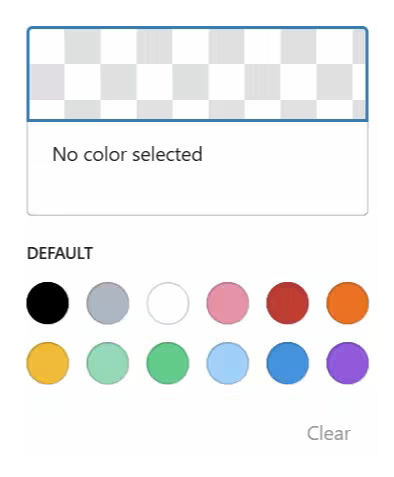
Adding Custom Colors to the Color Picker
If you find yourself in a situation where you need to add custom colors but don’t have the tooling available, here are some ways to get the job done.
Method 1: Theme.json
This method will also work if you are using a classic theme (i.e., not block-based) while still using the block editor.
- Create a theme.json file at the root of your child theme.
- Add the code from the snippet below.
- Adjust lines like the ones highlighted below with your desired colors.
{
  "$schema": "https://schemas.wp.org/trunk/theme.json",
  "version": 3,
  "settings": {
    "layout": {
      "contentSize": "800px",
      "wideSize": "1200px"
    },
    "color": {
      "palette": [
        {
          "name": "Custom Brand Blue",
          "slug": "custom-brand-blue",
          "color": "#0073aa"
        },
        {
          "name": "Custom Brand Green",
          "slug": "custom-brand-green",
          "color": "#2ecc71"
        },
        {
          "name": "Custom Brand Purple",
          "slug": "custom-brand-purple",
          "color": "#9b59b6"
        }
      ]
    }
  }
}How to Make It Respect Your Existing Width
You may need to adjust lines 6-7 if you face layout issues. According to AI…
- Replace 800px with your theme’s actual content width (look in your theme’s style.css for .entry-content or .post-content, or check $content_width in functions.php).
- Set wideSize to be approximately 300–400 pixels wider than contentSize.
Method 2: Code Snippet
- Add the code snippet below to your site. (Code Snippet Solutions)
- Adjust lines like the ones highlighted below with your desired colors.
<?php

add_filter( 'block_editor_settings_all', 'add_extra_native_editor_color', 20, 2 );

function add_extra_native_editor_color( $settings, $post ) {
    // Define the 3 custom colors
    $new_colors = [
        [
            'name'  => __( 'Custom Brand Blue', 'my-theme' ),
            'slug'  => 'custom-brand-blue',
            'color' => '#0073aa',
        ],
        [
            'name'  => __( 'Custom Brand Red', 'my-theme' ),
            'slug'  => 'custom-brand-red',
            'color' => '#e74c3c',
        ],
        [
            'name'  => __( 'Custom Brand Green', 'my-theme' ),
            'slug'  => 'custom-brand-green',
            'color' => '#2ecc71',
        ]
    ];

    if ( empty( $settings['colors'] ) ) {
        $settings['colors'] = [];
    }

    // Only add if slug doesn't already exist (prevents duplicates)
    foreach ( $new_colors as $new_color ) {
        $exists = false;
        foreach ( $settings['colors'] as $existing_color ) {
            if ( ! empty( $existing_color['slug'] ) && $existing_color['slug'] === $new_color['slug'] ) {
                $exists = true;
                break;
            }
        }
        if ( ! $exists ) {
            $settings['colors'][] = $new_color;
        }
    }

    return $settings;
}Frequently Asked Questions About Adding Custom Colors in the WordPress Block Editor
How do I add custom colors to the WordPress Block Editor?
Add a color.palette array to your theme’s theme.json file, with a name, slug, and hex value for each color. You can also use the block_editor_settings_all filter to add colors with PHP.
Can I use theme.json with a classic WordPress theme?
Yes. You can add a theme.json file to a classic theme’s child theme and use it to configure settings for the Block Editor. Check the existing theme layout before changing values such as contentSize and wideSize.
How do I add custom editor colors with PHP?
Use the block_editor_settings_all filter to add color entries to the editor settings. The article’s example checks each color’s slug before adding it, which prevents duplicate entries.
What are the name, slug, and color values in a palette entry?
The name is the label shown to editors, the slug identifies the color in code, and color holds the hex value. Use a distinct slug for each palette color.